Keyboard analytics
See which keys you use most, explore an interactive heatmap, and compare your typing activity over time.
Discover how you use your keyboard and mouse. Track your activity, visualize your habits, and sharpen your skills.
Free desktop app · Windows x64 · No account
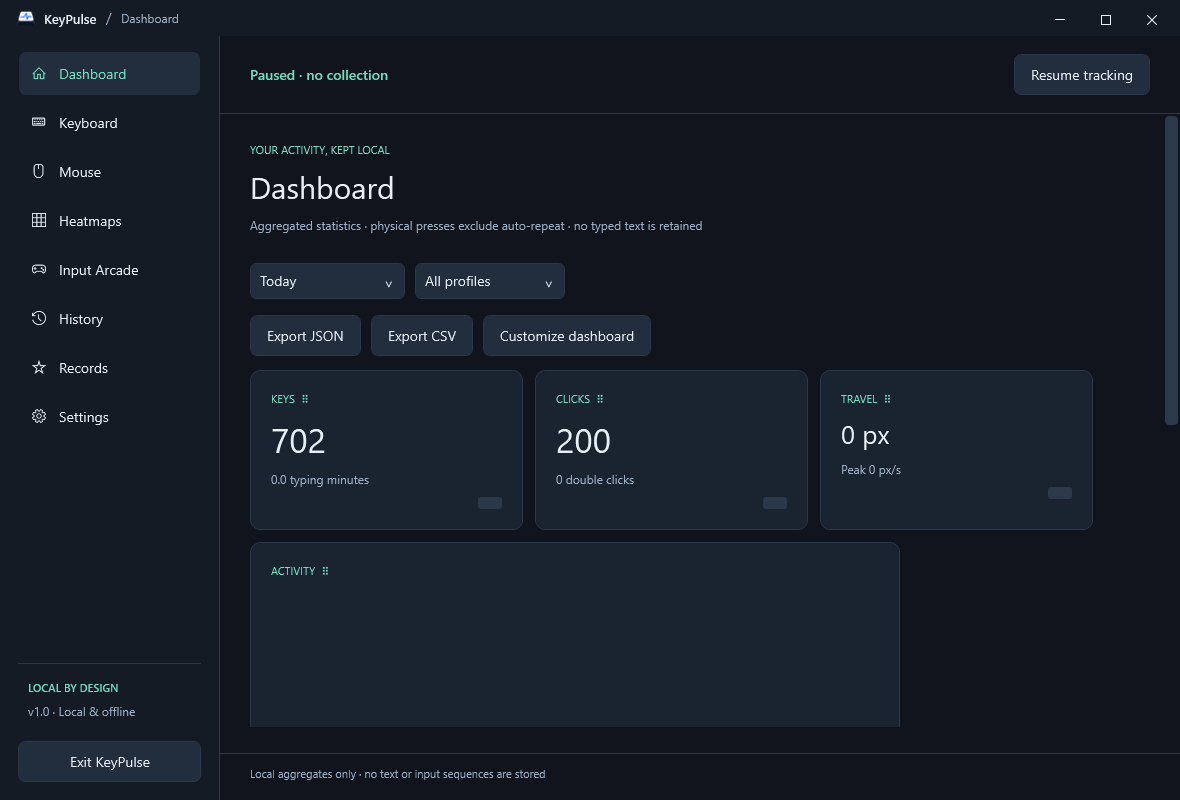
See the patterns in everyday input and put what you learn into practice.
See which keys you use most, explore an interactive heatmap, and compare your typing activity over time.
Measure movement, clicks, and scrolling. See where you click most with per-display heatmaps.
Train precision and reaction speed in Aim Frenzy, or practice typing in Keyboard Invaders. Both games offer multiple modes and difficulties.
Arrange your dashboard, switch themes and heatmap palettes, and choose what KeyPulse tracks.
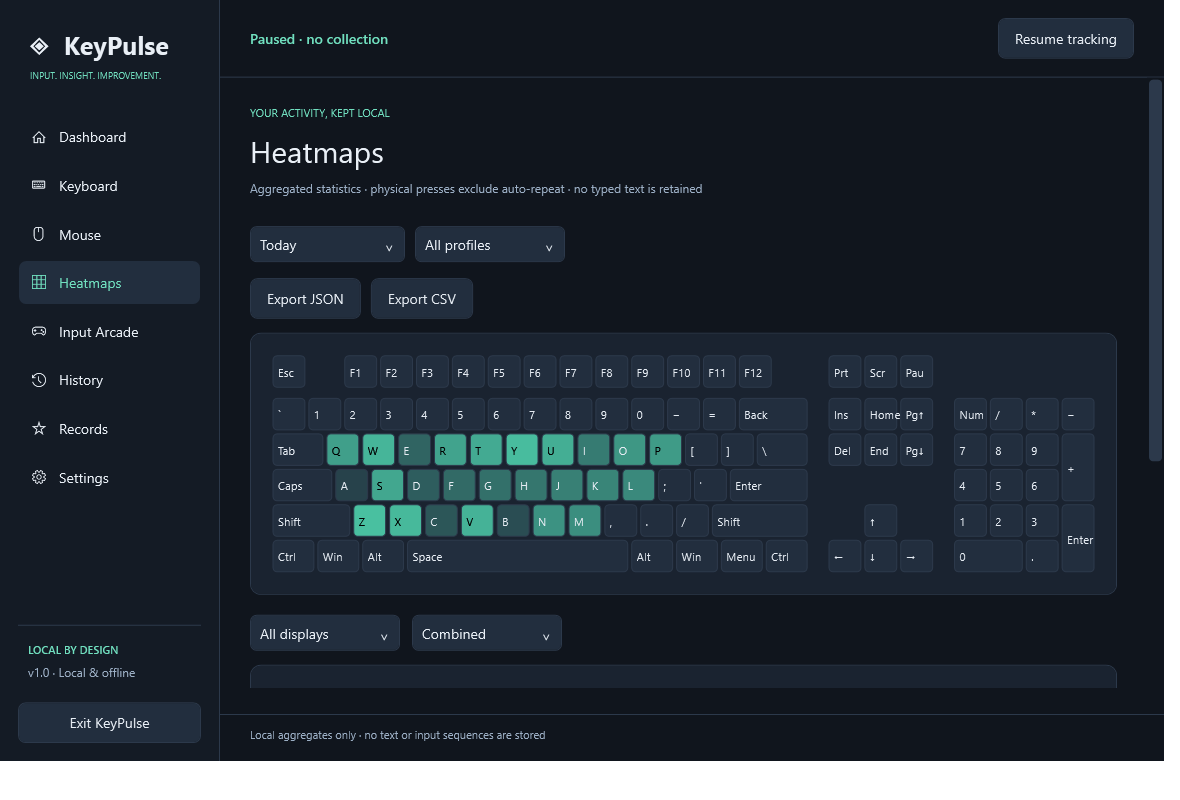
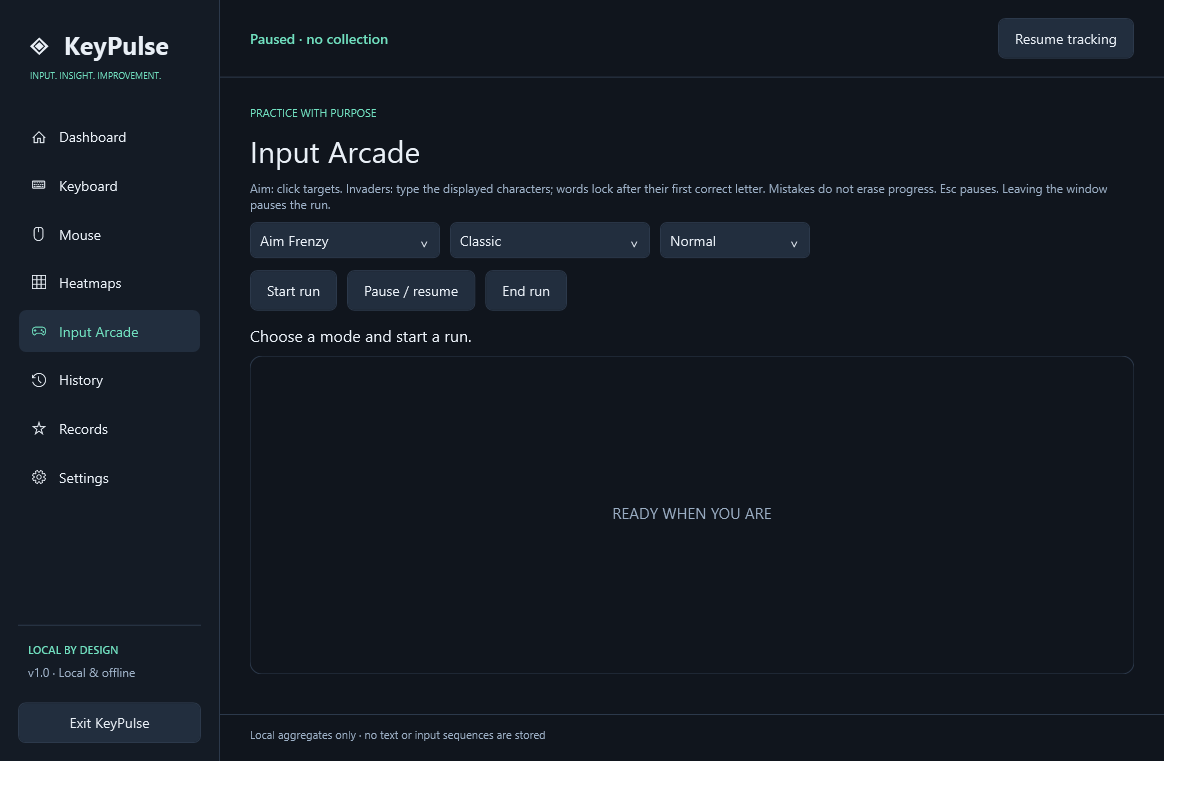
KeyPulse is a free Windows desktop utility for understanding your input habits and building accuracy. It runs offline and stores aggregate statistics locally.
Version 1.0.3 · November 17, 2026
d5534be15912adb45dca20ab311b1c09f3ef03fbf803ac2018f89cef500cc732Includes the required runtime. Verified on Windows 11. The executable is unsigned.
KeyPulse is a native Windows desktop application. This website provides information and the download. The app itself works offline.
The x64 release was tested on Windows 11. Windows 10 and physical mixed-DPI setups have not been fully verified.
The current executable is unsigned, so Windows SmartScreen may show a warning. The ZIP’s SHA-256 checksum is provided below the download.
Yes. Tracking starts paused on a fresh install, and both arcade games work while it is paused.